Android 17 Contact Picker in Flutter: time to replace READ_CONTACTS
- David Serrano Canales
- October 19, 2026
Table of Contents
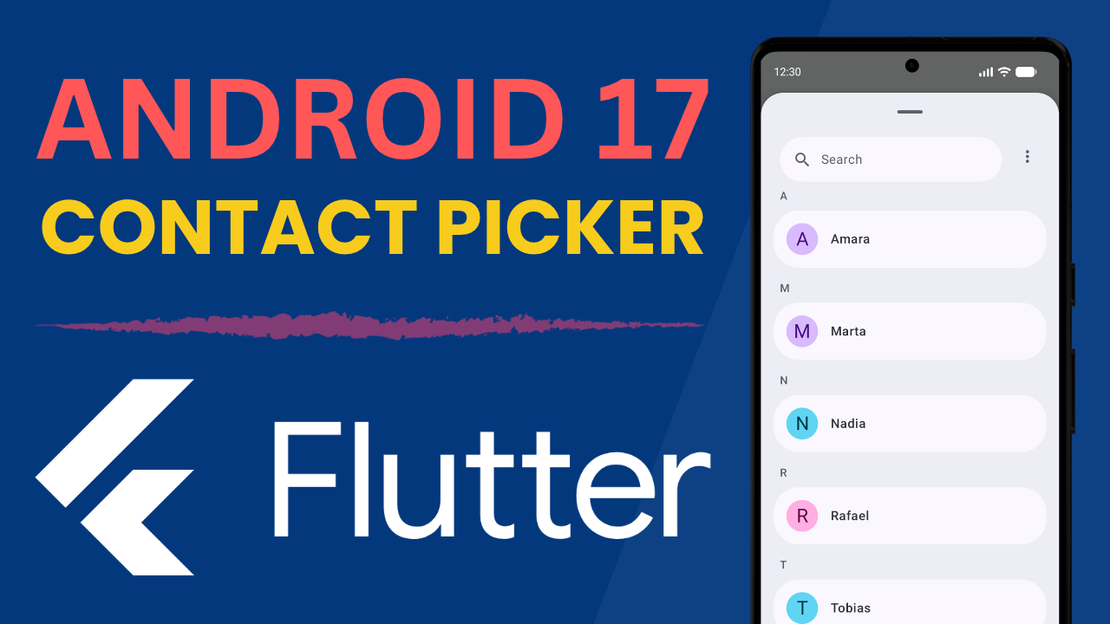
Android 17 brings an important change to the way we read the contacts on a device: it is now possible to launch a system picker to choose contacts and import them into our app, without having to declare the READ_CONTACTS read permission in our manifest.
Because of that, Google has announced new restrictions: the READ_CONTACTS permission is now reserved for those apps that cannot work with the system picker alone. Which means that, if your app imports contacts in a simple way, you are going to have to use the picker. If the permission is essential for your app to work, you will have to submit a declaration in Play Console explaining why the picker is not enough for you. The policy takes effect on January 27, 2027.
That said, this applies to apps targeting targetSdk 37 or higher. If yours still targets an earlier version, the policy does not affect you for now, although it will catch up with you as soon as you bump the target.
In this article I am going to try to give you a guide to understand what this means, how it is going to affect you, and whether you really need to keep using the permission or whether the system picker is enough for you. After that, I will give you some code examples to show you how I have implemented the system picker on Android 17+ in my own apps.
Info
📽 Video version available on YouTube
Does the new Google Play contacts policy affect your app?
Most apps that access contacts are going to keep working perfectly fine with the system picker, without needing to declare the READ_CONTACTS permission.
If your app accesses contacts occasionally, for example to import them into the app, or maybe to get a specific piece of data about a contact at a given moment, then the system picker is more than enough.
The difference is the scope: with the permission you were reading the entire address book, whereas with the picker you only receive the contacts the user chooses, and on top of that you can request just the fields you are interested in. The access is temporary as well, so it runs out as soon as you finish reading the selection.
Let’s take my app Debt Tracker as an example. An app where you create contacts, and assign debts and payments to them. Contacts can be created inside the app, or you can choose to import them from the device’s address book for convenience. My use case is precisely a one-off run of “get the contacts from the device’s address book into the app”.
The system picker works perfectly for me. I don’t need endless recurring access to the address book; I only need one-off access at a given moment to pull the contacts in and store them inside the app.
⬆️ The picker you see in this video is the new native Android 17 picker.
The cases that do still justify the permission are the ones that need the full address book on a recurring basis, rather than a one-off selection: phone or messaging apps, caller ID, or contact backup and sync. If your app is not something along those lines, chances are the picker will do.
Implementing the Android Contact Picker in Flutter
Let’s take as an example a simple test app that just lists the contacts from the address book:
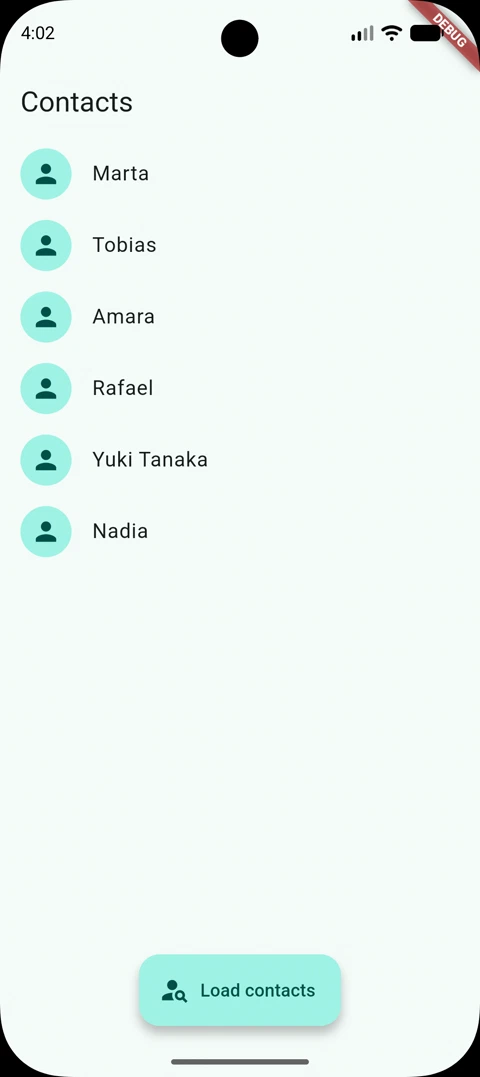
If we want to get the contacts the “conventional” way, we can use a plugin such as flutter_contacts:
final deviceContacts = await FlutterContacts.getAll(
  properties: {ContactProperty.photoThumbnail},
);
This code will give us a list of contacts with their name and picture. That said, you have to ask the user for permission first, or the call will not return anything:
final status = await FlutterContacts.permissions.request(PermissionType.read);
Now let’s make the changes needed to adapt it to Android 17+. The first thing is to declare the READ_CONTACTS permission only for devices running Android 16 or lower:
<uses-permission
  android:name="android.permission.READ_CONTACTS"
  android:maxSdkVersion="36" />
We also need to compile against the Android 17 SDK, because the ContactsPickerSessionContract class does not exist in earlier versions. Flutter still uses 36 by default, so we have to set it by hand in the app’s build.gradle.kts:
android {
    compileSdk = 37

    defaultConfig {
        targetSdk = 37
    }
}
Launching the picker from Kotlin with ACTION_PICK_CONTACTS
Then, we could use some plugin for this, but given that it is fairly simple to build, I prefer a native implementation to avoid depending on yet another plugin. The native side and the Dart side talk to each other over a method channel, and it is from Kotlin that we launch the system picker, setting it up for multiple selection like this:
val intent = Intent(ContactsPickerSessionContract.ACTION_PICK_CONTACTS).apply {
    putExtra(Intent.EXTRA_ALLOW_MULTIPLE, true)
    putExtra(
        ContactsPickerSessionContract.EXTRA_PICK_CONTACTS_SELECTION_LIMIT,
        call.arguments as Int,
    )
    // Read back only the fields below instead of every data field.
    putExtra(
        ContactsPickerSessionContract.EXTRA_PICK_CONTACTS_MATCH_ALL_DATA_FIELDS,
        false,
    )
    putStringArrayListExtra(
        ContactsPickerSessionContract.EXTRA_PICK_CONTACTS_REQUESTED_DATA_FIELDS,
        arrayListOf(
            ContactsContract.CommonDataKinds.StructuredName.CONTENT_ITEM_TYPE,
            ContactsContract.CommonDataKinds.Photo.CONTENT_ITEM_TYPE,
        ),
    )
}
startActivityForResult(intent, PICK_CONTACTS_REQUEST_CODE)
That call.arguments as Int is the selection limit, which reaches us from Dart through the method channel.
When the user is done, the picker does not hand us the contacts directly, but a session URI pointing at the selection. We have to query it with the ContentResolver, and here is the important detail: the cursor gives us one row per requested field, not one per contact, so we have to group the rows:
override fun onActivityResult(requestCode: Int, resultCode: Int, data: Intent?) {
    super.onActivityResult(requestCode, resultCode, data)

    val sessionUri = data?.data
    if (resultCode != Activity.RESULT_OK || sessionUri == null) {
        // The user left the picker without confirming a selection.
        return
    }

    val projection = arrayOf(
        ContactsContract.Contacts.LOOKUP_KEY,
        ContactsContract.Contacts.DISPLAY_NAME_PRIMARY,
        ContactsContract.Data.MIMETYPE,
        ContactsContract.CommonDataKinds.Photo.PHOTO,
    )

    contentResolver.query(sessionUri, projection, null, null, null)?.use { cursor ->
        while (cursor.moveToNext()) {
            // Group the rows by LOOKUP_KEY, and keep the blob of the row whose
            // MIMETYPE is Photo.CONTENT_ITEM_TYPE as the contact photo.
        }
    }
}
Keep in mind that this query is I/O, so it is worth moving it off the main thread before answering Dart.
With this code we can get the contacts with their name and their photo. We don’t need anything else for the example above.
Reading the picked contacts in Dart
Then, in our Dart code, let’s define a method that will tell us whether we should use the system picker or the traditional plugin. To do that, we need to know the current Android version, which we can do with the device_info_plus plugin:
static const _systemPickerMinAndroidSdk = 37;

Future<bool> _isSystemPickerAvailable() async {
  if (!Platform.isAndroid) return false;

  final androidInfo = await DeviceInfoPlugin().androidInfo;
  return androidInfo.version.sdkInt >= _systemPickerMinAndroidSdk;
}
With this, we can now go ahead and get the contacts through the right mechanism:
Future<List<AppContact>> loadContacts() async {
  if (await _isSystemPickerAvailable()) {
    return await _pickContactsWithSystemPicker();
  }

  return await _readContactsWithPermission();
}
On Android 17+, we get the contacts from the native side and parse them:
/// Opens the system Contact Picker. Returns an empty list if the user leaves
/// without selecting anything.
Future<List<AppContact>> _pickContactsWithSystemPicker() async {
  final response = await _channel.invokeMapMethod<String, Object?>(
    _methodPickContacts,
    _maxSelectedContacts,
  );

  if (response == null || response['wasCancelled'] == true) {
    return const [];
  }

  final contacts = <AppContact>[];
  for (final rawContact in response['contacts'] as List<Object?>) {
    final contact = rawContact as Map<Object?, Object?>;
    final name = contact['name'] as String;
    if (name.isEmpty) continue;

    contacts.add(
      AppContact(
        id: contact['id'] as String,
        name: name,
        photo: contact['photo'] as Uint8List?,
      ),
    );
  }

  return contacts;
}
One last thing to keep in mind: the picker is opened by the user, not by the app. You cannot launch it on your own to refresh the contacts in the background, so if you need the selection later on, store it.
I have only shown you the key parts here, but to get a better understanding of how it is built you can check the full project here.
Conclusion
In this article we have taken a very quick look at Google Play’s new policy regarding the contacts read permission, and I have shown you a simple approach that I have followed myself to work with contacts in my apps.
If you think you absolutely need the contacts permission, remember that you have to fill in the dedicated form in Google Play before the policy takes effect, on January 27, 2027.
See you next time!